



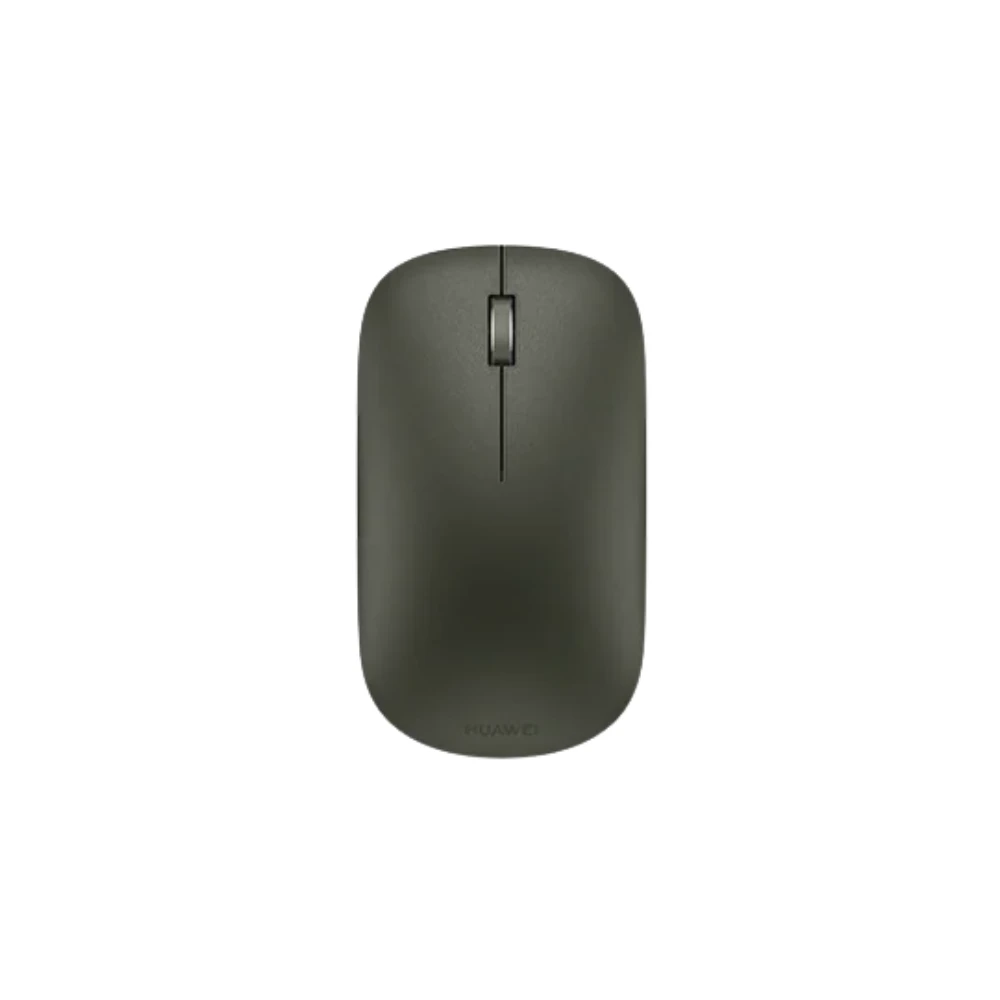
HUAWEI Wireless Optical Mouse - Ergonomic Portable Computer Mouse
HUAWEI Wireless Optical Mouse: Precision and Portability for Modern Professionals
The HUAWEI Wireless Optical Mouse is a compact and functional input device designed to meet the demands of mobile professionals, students, and casual office users. Combining a minimalist aesthetic with reliable optical tracking technology, this mouse provides a consistent experience across a variety of surfaces, making it an ideal companion for laptop users who require more precision than a standard trackpad can provide.
By prioritizing a lightweight design and seamless wireless connectivity, this device addresses the common frustration of cable clutter and the difficulty of navigating complex documents on small touch surfaces. Whether you are working from a home office, a local coffee shop, or a dedicated workspace, this mouse is engineered to improve your daily digital workflow by offering responsiveness, comfort, and ease of transport.
Key Features
- Advanced Optical Sensor: Equipped with a high-precision optical engine, the mouse captures fine movements with accuracy, ensuring smooth cursor control for everyday tasks like web browsing, data entry, and media management.
- Ergonomic Portability: The low-profile, contoured shape is designed to fit naturally in the hand while remaining slim enough to slide easily into laptop bags, sleeves, or accessory pockets.
- Reliable Wireless Connectivity: Designed for stable performance, the wireless connection eliminates the need for restrictive cables, allowing for a clean and organized workspace.
- Silent Click Design: Built to reduce noise, the buttons are engineered to provide tactile feedback without the distracting "clicking" sound, making this mouse suitable for quiet environments like libraries or shared offices.
- Energy-Efficient Operation: Intelligent power management features help extend battery life, reducing the need for frequent replacements.
Technical Specifications
| Connection Type | Wireless |
| Tracking Technology | Optical |
| Design | Ergonomic/Portable |
| Compatibility | Windows, macOS, and other devices supporting USB wireless peripherals |
| Color | Standard Minimalist Finish |
Benefits of Using the HUAWEI Wireless Optical Mouse
The primary benefit of this mouse is the improvement in navigational efficiency. When compared to the trackpad of a laptop, an optical mouse allows for faster selection, more precise dragging and dropping, and reduced strain on the fingers and wrists during long periods of computer use. Its ergonomic design encourages a more neutral hand position, which can help in reducing the repetitive strain often associated with prolonged laptop use.
Furthermore, the wireless nature of the device provides the freedom to move the mouse to where it feels most comfortable, without being tethered to the port. This flexibility is essential for setups using external monitors or standing desks, where physical distance between the user and the computer varies.
Usage Instructions and Setup
Setting up the HUAWEI Wireless Optical Mouse is designed to be straightforward:
- Battery Installation: Remove the battery cover and insert the required batteries according to the polarity indicators.
- Connectivity: Insert the provided USB wireless receiver into an available USB port on your computer.
- Activation: Switch the power button located on the bottom of the mouse to the 'On' position.
- Automatic Pairing: Most modern operating systems will automatically detect the device and install the necessary drivers. Once installed, your cursor should begin moving as you slide the mouse.
Compatibility and Suitability
This mouse is highly compatible with most modern operating systems, including Windows and macOS. It is perfectly suited for general productivity tasks, such as word processing, spreadsheet management, and internet browsing. Because of its portable size, it is a recommended accessory for students carrying laptops to lectures, business travelers who require minimal gear, and office professionals who move between different workstations frequently.
Care and Maintenance
To ensure the longevity of your HUAWEI Wireless Optical Mouse, keep the optical sensor on the bottom free of dust and debris. If you notice tracking issues, clean the area gently with a dry cloth. Avoid exposing the mouse to liquid spills, extreme heat, or direct sunlight for extended periods. When not in use for long durations, it is recommended to turn off the power switch to conserve battery life.
Frequently Asked Questions
Q: Does this mouse require special software drivers?
A: No, this mouse uses standard drivers and is "plug-and-play" for most Windows and macOS environments.
Q: Can I use this mouse on a glass desk?
A: While the optical sensor is highly capable on most surfaces, highly reflective glass or mirrored surfaces may interfere with tracking. Using a standard fabric or plastic mouse pad is recommended for optimal performance.
Q: Is this mouse suitable for gaming?
A: This mouse is designed primarily for productivity and daily tasks. While it functions well for standard computing, it may not possess the high DPI settings or extra programmable buttons often required for competitive gaming.
Q: How do I know when the battery is low?
A: If you notice erratic cursor movement or frequent disconnection, these are typically signs that the battery needs to be replaced.
Q: Does the mouse have an auto-sleep mode?
A: Yes, many models include an auto-sleep feature that puts the mouse into a low-power state when it detects inactivity, helping to preserve the battery.



Share with Friends
Trading is more effective when you share products with friends!Share you link
Share to