



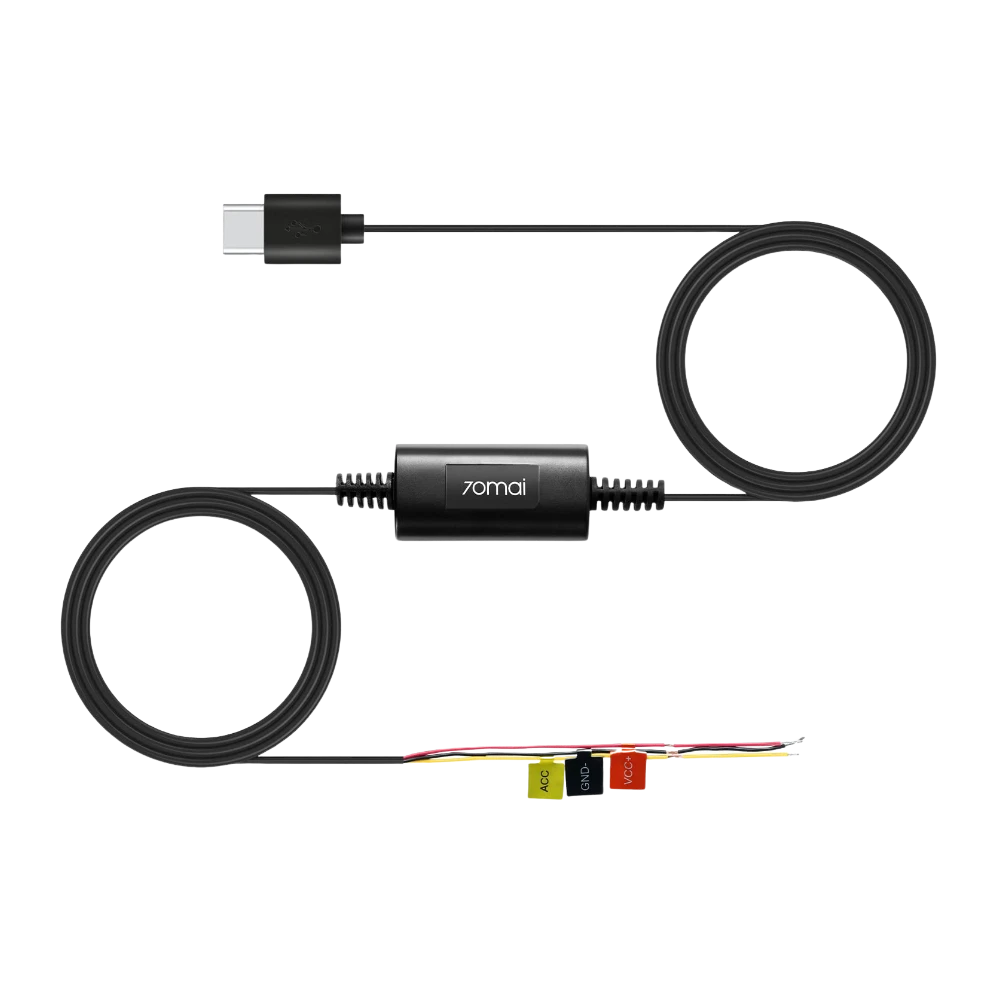
Enable 24/7 dash cam parking mode with the 70mai UP03 Hardwire Kit (Type-C). Smart ACC switching, low-voltage protection and USB-C output for modern 70mai cameras.
Specifications
-
Input Voltage: DC 12–30 V (works with both 12V and 24V car systems)
-
Output: USB-C 5 V ⎓ 2.4 A (regulated)
-
Cable Length: ~3.3 m (≈ 10 ft) total harness length for flexible routing
-
Low-Voltage Cutoff (typical / configurable): ~11.6–11.9 V (12V systems) / ~23.2–23.8 V (24V systems)
-
Operating Temperature: −20 °C to +70 °C
-
Protections: over-current, short-circuit, reverse polarity, over-voltage, over-temperature, and under-voltage cutoff
-
Connectors: In-line fuse holder + vehicle fuse taps for ACC and constant power; USB-C output plug for dash cam
-
Dimensions (module): compact inline module ~70 × 40 × 20 mm (approx.) — small profile for under-dash mounting
-
Accessories: wiring harness with female fuse taps, protective heat-shrink, mounting tape / bracket (varies by package)
Key Features
-
True 24/7 Parking Mode — supplies regulated USB-C power to your dash cam from vehicle battery so parking surveillance (motion/collision detection) works when engine is off.
-
Automatic ACC Detection — device reads ACC signal and automatically switches dash cam between drive and parking modes (no manual intervention).
-
Battery-Saving Low-Voltage Cutoff — protects your car battery by shutting off camera power before battery voltage drops to a critical level.
-
Type-C Native Output — modern, neat connection for newer dash cams that use USB-C; no extra adapters needed.
-
Vehicle Versatility — supports small cars, SUVs, trucks and commercial vehicles thanks to 12–30 V input range.
-
Compact & Hidden Installation — low-profile module and long harness allow tidy routing into fuse box and behind trim.
-
Robust Protections — multiple safeguards reduce risk of electrical faults, reverse polarity and overheating.
Supported Models (compatibility & examples)
-
Designed for dash cams that accept USB-C power input. Before buying, confirm your dash cam has a USB-C power port.
-
Common phone/camera families and newer 70mai models (Type-C variants) are typically compatible; examples of cameras that commonly pair with Type-C hardwire kits include recent 70mai/Omni/4G generation units and their Type-C models.
-
If your dash cam uses micro-USB, use the UP02 (micro-USB) hardwire kit instead.
-
If you’re unsure whether your specific camera model is Type-C-ready, check the camera’s power port or ask Hello Bazar support — it’s a quick check and saves installation time.
What’s in the Box
-
1 × 70mai UP03 Hardwire Kit (Type-C) inline module
-
1 × Wiring harness with fuse taps (ACC, constant power, ground)
-
1 × USB-C output cable (attached or separate depending on batch)
-
1 × Inline fuse (installed or separate)
-
1 × Installation guide (basic wiring diagram)
-
1 × Mounting tape / bracket
The 70mai UP03 Hardwire Kit (Type-C) turns your dash cam from a drive-only device into a true 24/7 security system. Instead of powering your camera from the cigarette lighter or car charger, the UP03 taps directly into the vehicle fuse box and provides a regulated USB-C output so modern dash cams can run reliably while parked.
Why hardwire? When wired correctly the dash cam can record collision and motion events while the car sits unattended, then automatically return to normal driving mode when you start the engine. The UP03 handles that logic automatically by sensing the ACC circuit and switching power states accordingly.
Safety is front-and-center: the kit monitors vehicle battery voltage and cuts power before the battery becomes too weak to start the engine. It includes standard electrical protections (short-circuit, over-current, reverse polarity) and an inline fuse for the vehicle side. The USB-C output is regulated (5 V / 2.4 A) suitable for most modern dash cams; the long harness (~3.3 m) makes it easy to hide under trim and run the cable to your camera neatly.
Physically the module is compact and built to fit in tight spaces behind the dash or next to the fuse box. It’s designed for professional-style installation but can be installed by a confident DIYer who understands vehicle electrics — see installation tips below.
Installation Tips (brief & safe)
-
Recommended: professional installation or a trained car electrician if you’re not comfortable with vehicle fuse boxes.
-
Identify the vehicle ACC (accessory) fuse (powers on with ignition) and a constant 12V fuse (always hot). Use the provided fuse taps to connect ACC and constant power.
-
Connect the ground wire to a solid metal chassis point.
-
Keep the inline fuse installed between the kit and the vehicle battery/fuse tap.
-
Route the USB-C cable to the dash cam, secure with clips, and avoid sharp edges or heat sources.
-
After wiring, verify: engine start → dash cam powers on; engine off → dash cam switches to parking mode; low battery simulation → kit cuts power before critical voltage.
-
If ACC detection doesn’t behave as expected, consult a pro — ACC behavior can vary across vehicle makes and years.
FAQ & Technical Notes
-
Will this drain my car battery? — The kit is designed to prevent deep discharge by cutting power at a safe low-voltage threshold. Still, using parking mode heavily over many days without driving will deplete the battery eventually.
-
Can I use it on trucks/heavy vehicles? — Yes, its 12–30 V input supports larger vehicles; confirm low-voltage thresholds and installation points for commercial rigs.
-
Does it provide constant 5 V to the camera? — Yes — regulated 5 V output while the kit is powered. If the vehicle battery voltage drops, the kit will cut output per protection thresholds.
-
Is the fuse included? — Most kits ship with an inline fuse; double-check the box contents and the correct fuse rating before use.
-
Can it power more than one accessory? — It’s intended for powering a dash cam only. Powering additional devices may exceed design limits and void safety protections.
Caution
-
Incorrect wiring may damage your vehicle electrical system or dash cam — if unsure, have a professional install it.
-
Don’t remove the inline fuse; it’s a critical safety device.
-
ACC signals differ by vehicle model — verify the correct fuse circuits before connecting.
-
Hardwiring into hybrid/electric vehicles may require special procedures — consult vehicle manual or service center.
-
After installation, test all power states before relying on parking mode.



Share with Friends
Trading is more effective when you share products with friends!Share you link
Share to